ClockOut — Projects & Time icon

ClockOut — Projects & Time

From time tracking to invoicing—all in one app.

FreeiOSv1.5

Clock Out is the complete business management app for freelancers, contractors, and hourly workers. Track time with geofenced projects, manage work orders, calculate mileage reimbursements, track expenses, and generate professional PDF invoices—all from your iPhone.

ClockOut — Projects & Time screenshot

Everything you need

Designed with simplicity in mind, packed with powerful features

Smart Project Management

Track budgets, deadlines, and automatically clock in with geofencing

Work Orders & Flat Rates

Manage one-time jobs with templates and custom pricing

Mileage Tracking

Calculate reimbursements with route templates and IRS rates

Professional Invoicing

Generate PDF invoices with line items, expenses, and client details

Expense Management

Track materials, supplies, and tax rates with receipt photos

Smart Notifications

Clock-in reminders and weekly/monthly earnings summaries

Live Activities & Widgets

Real-time shift tracking from your lock screen

Profitability Analysis

Track project costs, profit margins, and revenue per hour

Projects That Track Themselves

Create projects with geofenced locations. When you arrive at the job site, Clock Out automatically reminds you to clock in—or does it for you. Track budgets, deadlines, and see exactly how much time and money each project takes.
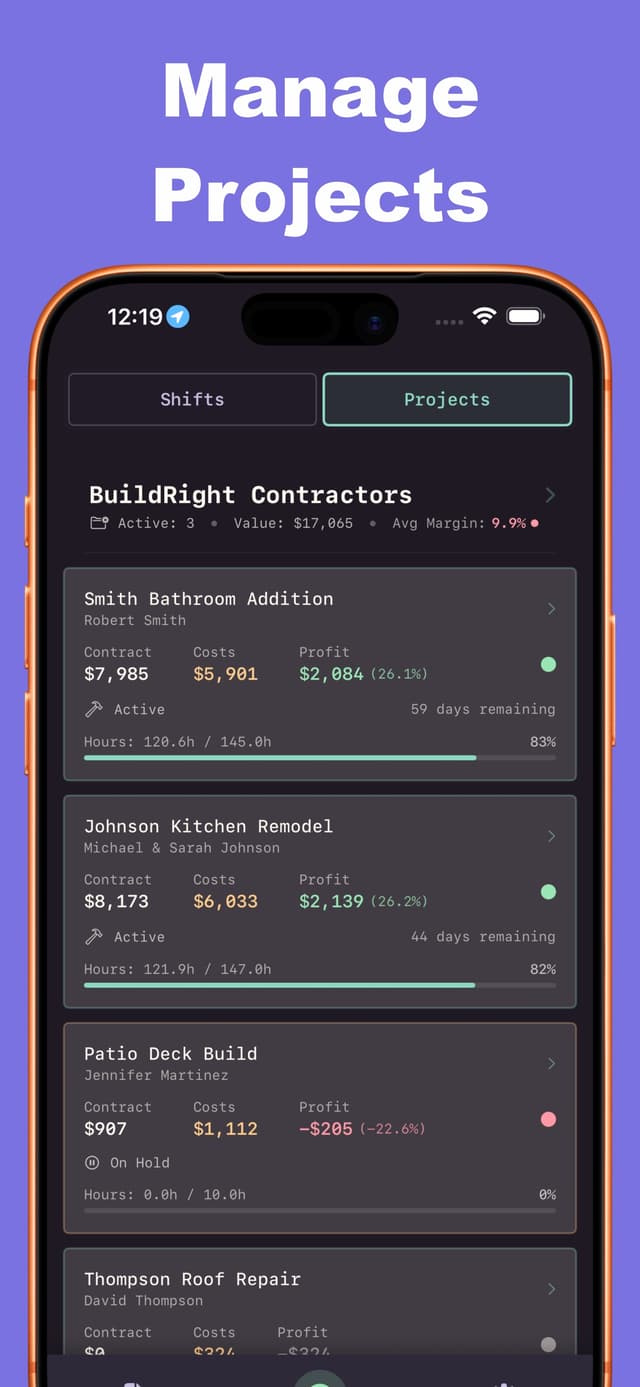
  • Geofenced Auto Clock-In

    Arrive at the site, start tracking automatically

  • Budget & Deadline Tracking

    Stay on budget and on schedule

  • Client Management

    Store contact info, estimates, and invoices

ClockOut — Projects & Time feature

Work Orders & Mileage Made Easy

Log flat-rate jobs with work order templates. Add mileage tracking with saved routes for regular trips. Clock Out calculates your reimbursements at IRS rates and includes everything in your earnings totals.
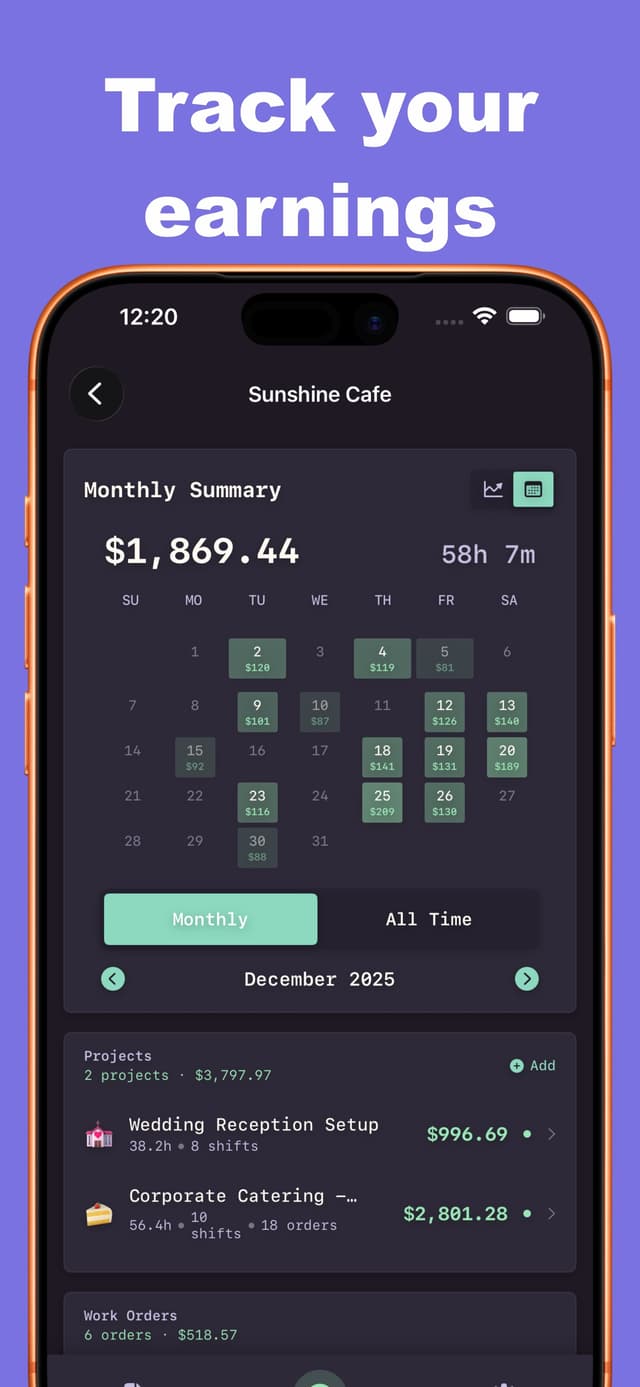
  • Flat-Rate Work Orders

    Quick entry with reusable templates

  • Route Templates

    Save common routes for one-tap mileage logging

  • IRS Rate Calculations

    Automatic mileage reimbursement at current rates

ClockOut — Projects & Time feature

Professional Invoices, Instant Generation

Turn your tracked time, work orders, and expenses into polished PDF invoices. Add line items with markup, track materials with tax rates, and include client details. Generate and send invoices directly from your phone.
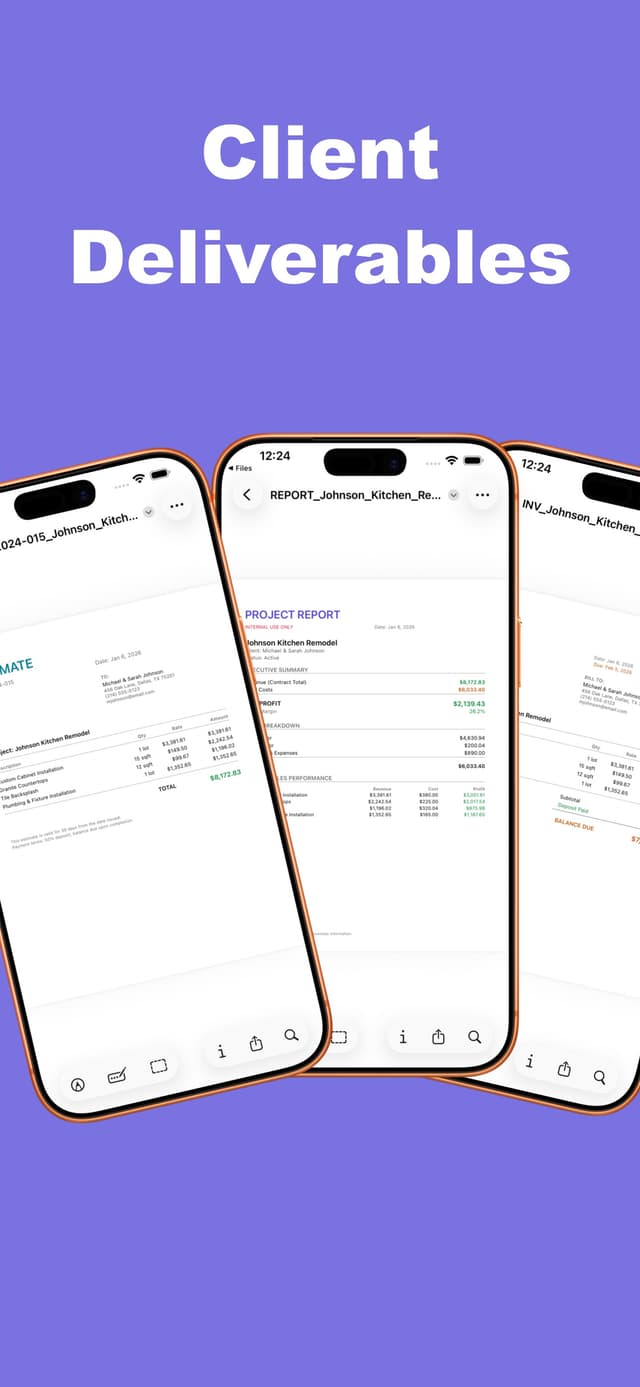
  • PDF Invoice Generator

    Professional invoices with your branding

  • Line Item Profitability

    See profit margins on every deliverable

  • Expense & Tax Tracking

    Materials, supplies, and tax rates all in one place

ClockOut — Projects & Time feature

Know Your Numbers

Track profitability with detailed breakdowns of labor, materials, and external costs. See revenue per hour, profit margins, and budget utilization. Smart notifications send weekly and monthly summaries so you always know where you stand.
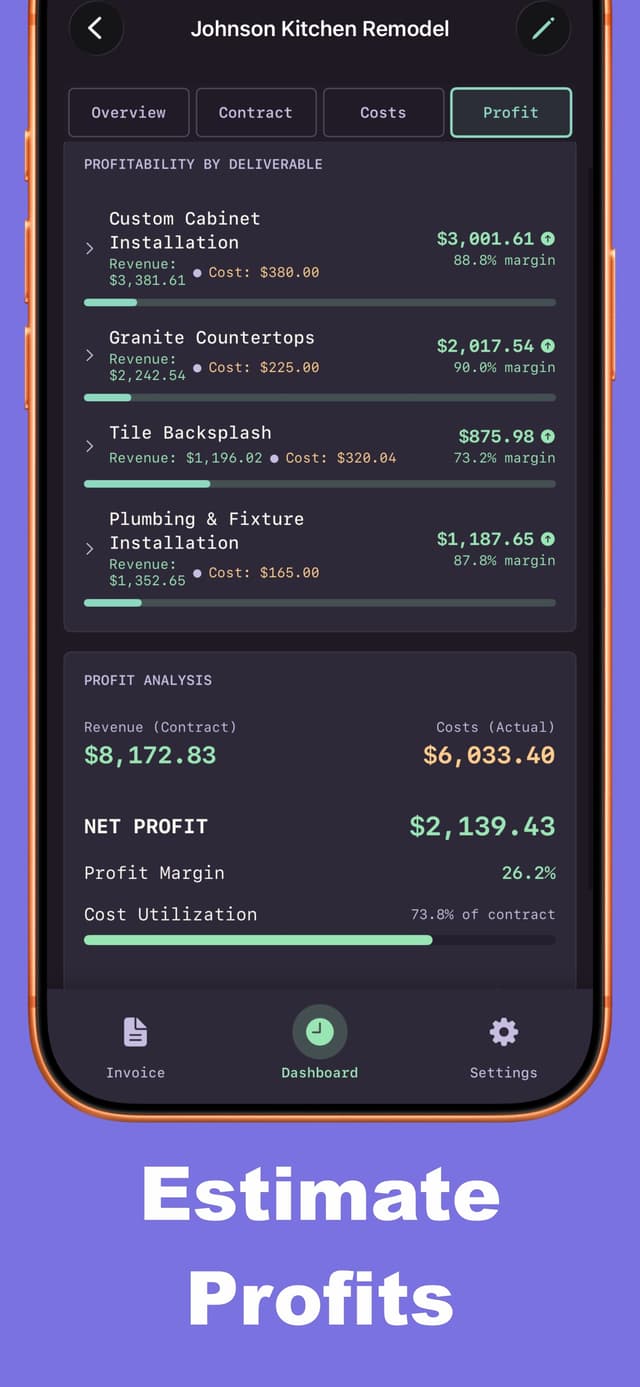
  • Profitability Dashboard

    Costs, revenue, and profit at a glance

  • Smart Summaries

    Weekly and monthly earnings notifications

  • Live Activities

    Track your current shift from the lock screen

ClockOut — Projects & Time feature

See ClockOut — Projects & Time in Action

Designed for simplicity and ease of use

ClockOut — Projects & Time screenshot 1
ClockOut — Projects & Time screenshot 2
ClockOut — Projects & Time screenshot 3
ClockOut — Projects & Time screenshot 4
ClockOut — Projects & Time screenshot 5
ClockOut — Projects & Time screenshot 6
ClockOut — Projects & Time screenshot 7

About ClockOut — Projects & Time

Built a comprehensive business management app for freelancers and contractors that goes far beyond simple time tracking. Clock Out combines geofenced project management, work order tracking, mileage reimbursement calculations, expense management, and professional PDF invoice generation into a single, intuitive iOS app. With smart notifications, Live Activities, and detailed profitability analysis, it provides everything needed to run a freelance business from your phone.

Feature Development

Designed and implemented a comprehensive project management system with geofencing using CoreLocation, enabling automatic clock-in notifications when arriving at job sites.

Built a work order system with reusable templates for flat-rate jobs, reducing data entry for recurring tasks.

Developed a sophisticated mileage tracking system with route templates and automatic IRS rate calculations for accurate reimbursement tracking.

Created a professional PDF invoice generator using PDFKit, producing polished, client-ready invoices with line items, expenses, and branding.

Implemented expense management with tax tracking, receipt photo storage, and line item cost allocation for detailed profitability analysis.

User Experience & Polish

Designed an intuitive interface balancing powerful features with ease of use—complex calculations happen automatically behind the scenes.

Implemented Live Activities and lock screen widgets using ActivityKit for real-time shift tracking without opening the app.

Built smart notification system analyzing historical shift patterns to send timely clock-in reminders and earnings summaries.

Created detailed profitability dashboards showing revenue per hour, profit margins, budget utilization, and cost breakdowns at a glance.

Developed comprehensive theming system with dark mode support and multiple color schemes for personalization.

Technical Architecture

Leveraged SwiftData for efficient local data persistence with complex relational models (Projects, WorkOrders, Shifts, Expenses, etc.).

Implemented CoreLocation geofencing with background monitoring for automatic clock-in triggers without draining battery.

Built modular, reusable SwiftUI components following MVVM architecture for maintainability and scalability.

Created robust backup/restore system ensuring user data is never lost across device changes or app updates.

Optimized performance for handling large datasets (hundreds of shifts, expenses, and projects) with efficient queries and lazy loading.

Built With

SwiftUIiOS

Developer

iOS Developer

Release Date

January 2026

Current Version

1.5

Ready to try ClockOut — Projects & Time?

Download now and start using ClockOut — Projects & Time today.